Installation & Usage
Installation
blocksets is available on pypi.org and can be installed using pip:
pip install blocksets
There are no dependent packages
Example Usage
It's worth reviewing and running the example_use.py module via
python -m blocksets.example_use
Essentially you create layouts by adding and subtracting blocks from the space which you can then treat like a set.
Visualize Set Operations
Install matplotlib using pip install matplotlib and run the following.
"""Visualise 2D set operations from 2 randomly generated blocksets"""

import random

from matplotlib.patches import Rectangle
from matplotlib import pyplot as plt
import matplotlib as mpl

from blocksets import Block, BlockSet

# Default values, adjust and see how they perform
GRID_SIZE = 100
BLOCKS = 100

# Configure plots
mpl.rcParams["axes.grid"] = True
fig, axs = plt.subplots(2, 4, figsize=(24, 12))
axs[0, 0].set_title("A")
axs[1, 0].set_title("B")
axs[0, 1].set_title("Union: A∪B")
axs[1, 1].set_title("Union: A∪B (make-up)")
axs[0, 2].set_title("Difference: A-B")
axs[1, 2].set_title("Difference: B-A")
axs[0, 3].set_title("Intersection: A∩B")
axs[1, 3].set_title("Symmetric Difference (XOR): A⊕B")
plt.setp(axs, xlim=(0, GRID_SIZE), ylim=(0, GRID_SIZE))


def random_block(min_size=5, max_size=50) -> Block:
    """Generate a random block min/max refer to % of grid_size"""
    min_size = int((GRID_SIZE * min_size) / 100)
    max_size = int((GRID_SIZE * max_size) / 100)
    min_size = max(min_size, 1)
    x = random.randint(0, GRID_SIZE - min_size)
    y = random.randint(0, GRID_SIZE - min_size)
    w = random.randint(min_size, min(max_size, GRID_SIZE - x))
    h = random.randint(min_size, min(max_size, GRID_SIZE - y))
    return Block((x, y), (x + w, y + h))


def get_rect(blk: Block, color="black") -> Rectangle:
    """Create matplotlib rectangle from block"""
    return Rectangle(
        blk.a, blk.side_lengths[0], blk.side_lengths[1], color=color, fc=color, lw=0
    )


def create_blockset():
    """Create a blockset by randomly adding/removing blocks"""
    bs = BlockSet(2)
    add = True
    for _ in range(BLOCKS):
        blk = random_block()
        if add:
            bs.add(blk)
            add = False
        else:
            bs.remove(blk)
            add = True
    bs.normalise()
    return bs


bs_A = create_blockset()
bs_B = create_blockset()

for blk in bs_A:
    axs[0, 0].add_patch(get_rect(blk, "blue"))

for blk in bs_B:
    axs[1, 0].add_patch(get_rect(blk, "red"))

# Union
bs = bs_A | bs_B
for blk in bs:
    axs[0, 1].add_patch(get_rect(blk, color="green"))  # union

# Intersection
bs = bs_A & bs_B
for blk in bs:
    axs[1, 1].add_patch(get_rect(blk, color="purple"))  # Union make-up
    axs[0, 3].add_patch(get_rect(blk, color="purple"))  # Intersection

# Difference A-B
bs = bs_A - bs_B
for blk in bs:
    axs[0, 2].add_patch(get_rect(blk, color="teal"))  # A-B
    axs[1, 1].add_patch(get_rect(blk, color="teal"))  # Union make-up

# Difference B-A
bs = bs_B - bs_A
for blk in bs:
    axs[1, 2].add_patch(get_rect(blk, color="brown"))  # B-A
    axs[1, 1].add_patch(get_rect(blk, color="brown"))  # Union make-up

# Symmetric difference
bs = bs_A ^ bs_B
for blk in bs:
    axs[1, 3].add_patch(get_rect(blk, color="deeppink"))

plt.show()
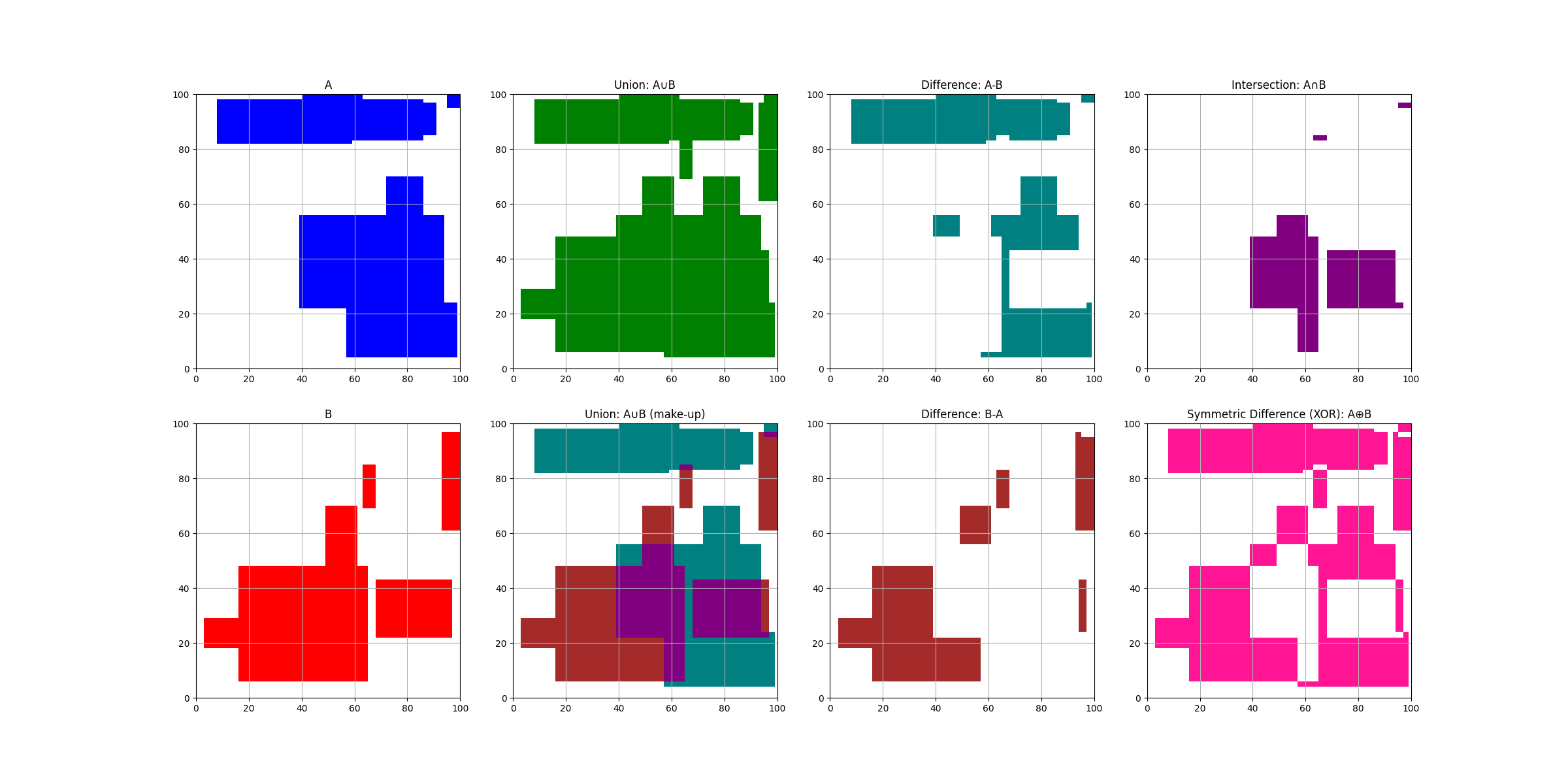
For example on a 100x100 space
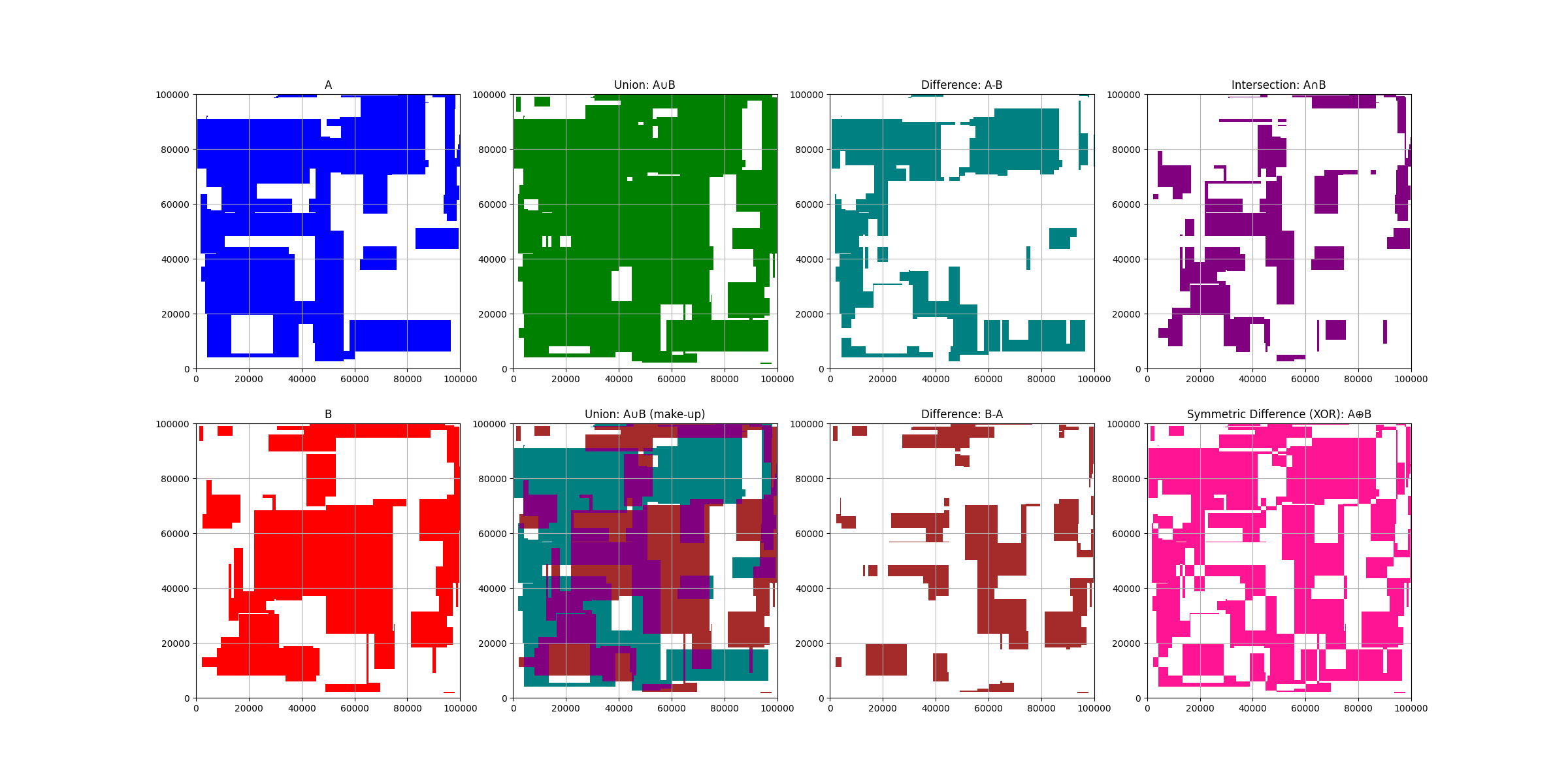
and on a higher granularity of a 100,000 x 100,000 space
Minimizing Memory Used
Here is a sample from example_use.py to give you an idea of how using
blocksets optimises the memory used to model a cube with a hole in the middle.
from blocksets import Block, BlockSet

big_rubik = Block((0, 0, 0), (99999, 99999, 99999))
assert big_rubik.measure == 999970000299999
centre_cube = Block((49999, 49999, 49999))
assert centre_cube.measure == 1

# Creates a large 3 dimensional cube with the centre missing
bs = BlockSet(3)
bs.add(big_rubik)
bs.remove(centre_cube)

assert bs.measure == 999970000299998
assert len(bs) == 6

sorted_blocks = sorted(bs, key=lambda x: x.norm)

for blk in sorted_blocks:
    print(f"{blk:50} {blk.measure}")
printed output
(0, 0, 0)..(49999, 99999, 99999)                   499980000249999
(49999, 0, 0)..(50000, 49999, 99999)               4999850001
(49999, 49999, 0)..(50000, 50000, 49999)           49999
(49999, 49999, 50000)..(50000, 50000, 99999)       49999
(49999, 50000, 0)..(50000, 99999, 99999)           4999850001
(50000, 0, 0)..(99999, 99999, 99999)               499980000249999